Multi-Site Protection With Commercial Security Systems
8 min read
Commercial Security Systems for Multi-Site Businesses Explained
Commercial security systems are no longer just cameras on the wall and a keypad by the door. For businesses with more than one location, security has to work as one connected system, not a patchwork of different rules and equipment at each site. When locations are spread out, it becomes harder to keep track of keys, codes, and who has access where. Risk goes up as your buildings get busier, especially as fall brings earlier sunsets and heavier traffic.
In this article, we will walk through how modern commercial security systems help you protect every location with one smart strategy. We will cover what these systems include, how centralized control works, how security scales as you grow, and how tying security to building automation can make daily operations smoother and safer for everyone.
Protect Every Location with One Smart Security Strategy
Multi-site businesses face the same headache again and again: one store or office follows one set of rules, another does something totally different, and no one can see the full picture. This might look like different alarm codes, old keys still floating around, or cameras that you have to log into one at a time. When things get busy, it is easy for small gaps to turn into real problems.
Modern commercial security systems solve this by bringing everything into one connected platform:
• Cameras, access control, alarms, and monitoring tied together
• Shared rules and schedules across all locations
• One login for owners and managers to see every site
Instead of guessing what is happening at a location, you get clear, live information. Smart design is what makes this possible. That is where a local security and technology expert who understands Michigan businesses, their buildings, and their day-to-day challenges makes a big difference, especially when you can see systems working in a real showroom before you commit.
What Multi-Site Commercial Security Systems Include
A good commercial security system for multiple locations is built from a few core pieces that work together.
Typical components include:
• High-definition video surveillance inside and outside
• Smart access control with cards, fobs, or mobile credentials
• Intrusion detection with door contacts and motion sensors
• Environmental sensors for smoke, carbon monoxide, water leaks, and temperature changes
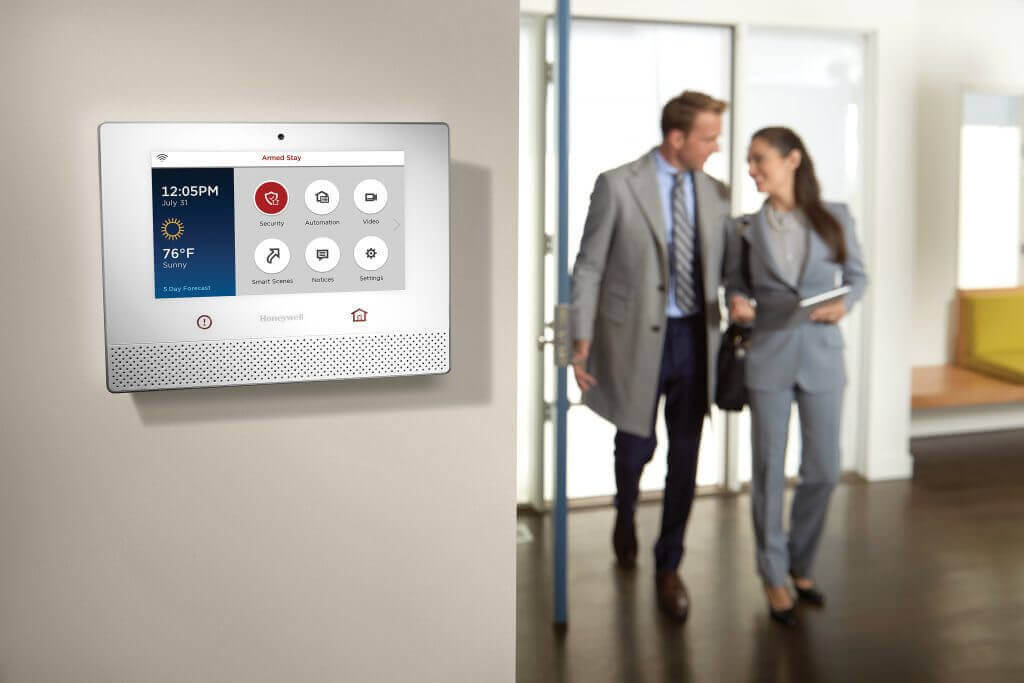
All of these connect into a cloud-based management platform. That means owners, HR leaders, or facility managers can log into one dashboard or mobile app to:
• View cameras at every site
• Lock or unlock doors
• Change access rights
• Check alerts and event history
Role-based access is key here. Regional managers might see and manage only their locations. Executives might see everything. IT teams can support the system without needing to sit on site.
These systems can also tie into your existing IT and building systems, such as:
• Network infrastructure and Wi-Fi
• Intercoms and paging
• Smart lighting and automation
• Audio and video equipment in common areas
When everything talks to each other, you avoid tech silos and make life easier for staff and visitors.
Centralized Control for Distributed Locations
Once you have multiple locations, chasing down keys and local alarm codes becomes a full-time job. Centralized management takes that pain away.
With one platform, you can:
• Standardize who gets access to what
• Set lock and unlock schedules across all sites
• Apply the same alarm rules everywhere
If you need to remove access for a former employee, you can do it once, and it applies across all locations that person had access to. No guessing, no missed doors.
Centralized control also gives you real-time visibility. You can:
• Watch live video from many buildings on one screen
• Get alerts when a door is propped open or used after hours
• Quickly search footage and access logs for a specific time or event
This matters when there is an incident at any property. You have clear audit trails that show who went where and when. You have video to support HR conversations, safety reviews, or law enforcement if needed. Strong records can also support insurance reviews and policy renewals, since you can clearly show how your sites are secured.
Layered Security That Scales as You Grow
Good commercial security uses layers. Each layer protects a different part of your property and all layers work together.
Those layers often look like this:
• Perimeter: parking lots, building exteriors, main entrances
• Building shell: doors, loading docks, drive-through areas, service entrances
• Interior: offices, storage, cash handling areas, data rooms, staff spaces
For example, cameras and lighting in the parking lot discourage unwanted behavior and help people feel safer. Access control at doors keeps only approved people coming inside. Interior cameras and sensors protect sensitive rooms and inventory. A commercial system ties all these pieces into one view, so you are not guessing what happened between the parking lot and the back office.
As your business grows, your system should grow with you. A scalable design lets you:
• Add new locations into the same platform
• Bring more cameras online without replacing old ones
• Add access-controlled doors as needs change
This works well for franchises, auto dealerships, medical practices, and multi-branch offices that may add or remodel locations over time. Seasonal changes also matter. In late summer and fall, you may see:
• Earlier nightfall and more hours in the dark
• More visitors and foot traffic
• Higher inventory levels and deliveries
Smart alerts, video analytics, and visible deterrents like speakers and lighting can help cut down on shrinkage, accidents, and after-hours surprises when your properties are busiest.
Integrating Security with Smart Building Automation
Security does not have to sit by itself. When it connects with smart building automation, your spaces can react automatically to what is happening.
Some practical examples:
• Lights turn on when someone badges in at a door
• Conference rooms auto-lock after hours and release in the morning
• Thermostats switch to energy-saving mode when the system is armed
• Background audio changes when the building opens or closes
You can also create security scenes. During an emergency, certain doors can lock, hallway lights can come on, and alert tones can play through audio systems, all tied to one trigger. When staff disarm the system in the morning, everything can return to normal without extra steps.
When one partner handles both security and automation, you avoid finger-pointing between vendors and end up with one cohesive system instead of scattered gear that never quite works together.
How FPAV Electronics Designs the Right System for You
Designing a strong commercial security system for multiple locations starts with understanding each property. A thoughtful process usually includes:
• On-site assessments at every location
• Walkthroughs of parking lots, vestibules, back doors, and roof access
• Risk mapping for high-value areas and common traffic paths
From there, the system can be tailored to your real needs instead of guessing. The goal is to balance three things: security, convenience for staff, and budget. That might mean mixing different camera types, placing access readers only where they provide the most value, and choosing monitoring options that match each facility’s risk level.
A hands-on showroom experience is also helpful. Decision-makers can:
• See camera image quality
• Try the access control interface
• Explore how a multi-site dashboard looks and feels
This makes it easier to agree on a plan and helps everyone understand how the system will work day to day once it is installed across all locations.
Frequently Asked Questions About Commercial Security Systems
How Do Commercial Security Systems Help Multi-Site Businesses?
Commercial security systems allow owners and managers to monitor and control all locations from a single platform, standardize security policies, and respond quickly to incidents at any site. This reduces blind spots, improves accountability, and makes it easier to manage keys, codes, and footage across multiple properties.
Residential vs. Commercial Security Systems: What’s the Difference?
Commercial systems are built for higher traffic, more complex access needs, and many users and locations. They usually offer role-based permissions, detailed audit trails, scalable access control, and expanded video storage that would be unnecessary in most homes.
Can I Integrate New Security Equipment With Existing Systems?
In many cases, yes. A professional integrator can review your current hardware, network, and wiring to see what can be reused, then design a system that blends new and existing devices so you gain modern features and centralized control without replacing everything at once.
How Much Do Commercial Security Systems Cost for Multiple Locations?
Costs depend on factors like the number of locations, doors, cameras, and features such as cloud management or analytics. A site visit and review of your needs usually lead to a tailored proposal, which can be rolled out in phases to match your growth and comfort level.
How Long Does Installation Take for Multi-Site Security Upgrades?
Timelines vary based on building size, wiring needs, and how many locations are being upgraded. After the design is approved, individual sites are typically installed and brought online over days to a few weeks, with careful scheduling to reduce disruption to normal business.
Get Started With Your Project Today
If you are ready to strengthen your business, we can design and install commercial security systems tailored to your specific risks, layout, and operations. Our team at FPAV Electronics will walk you through your options, explain the technology in clear terms, and recommend a scalable plan that fits your budget. Reach out today to discuss your goals, schedule a site assessment, or request a detailed quote through our contact page.